Create & organize
Create, save, edit, search and duplicate quotations. Automatic numbering and Draft, Sent, Accepted and Declined labels help organize your work. These labels do not send messages or record customer consent.
QUOTIVAR SOFTWARE / OUR FIRST PRODUCT
COMING SOONMeet Quotivar Desk.
An offline-first quotation workspace for freelancers and small businesses. Create, save and print English or Arabic quotations from a local folder, using your browser.
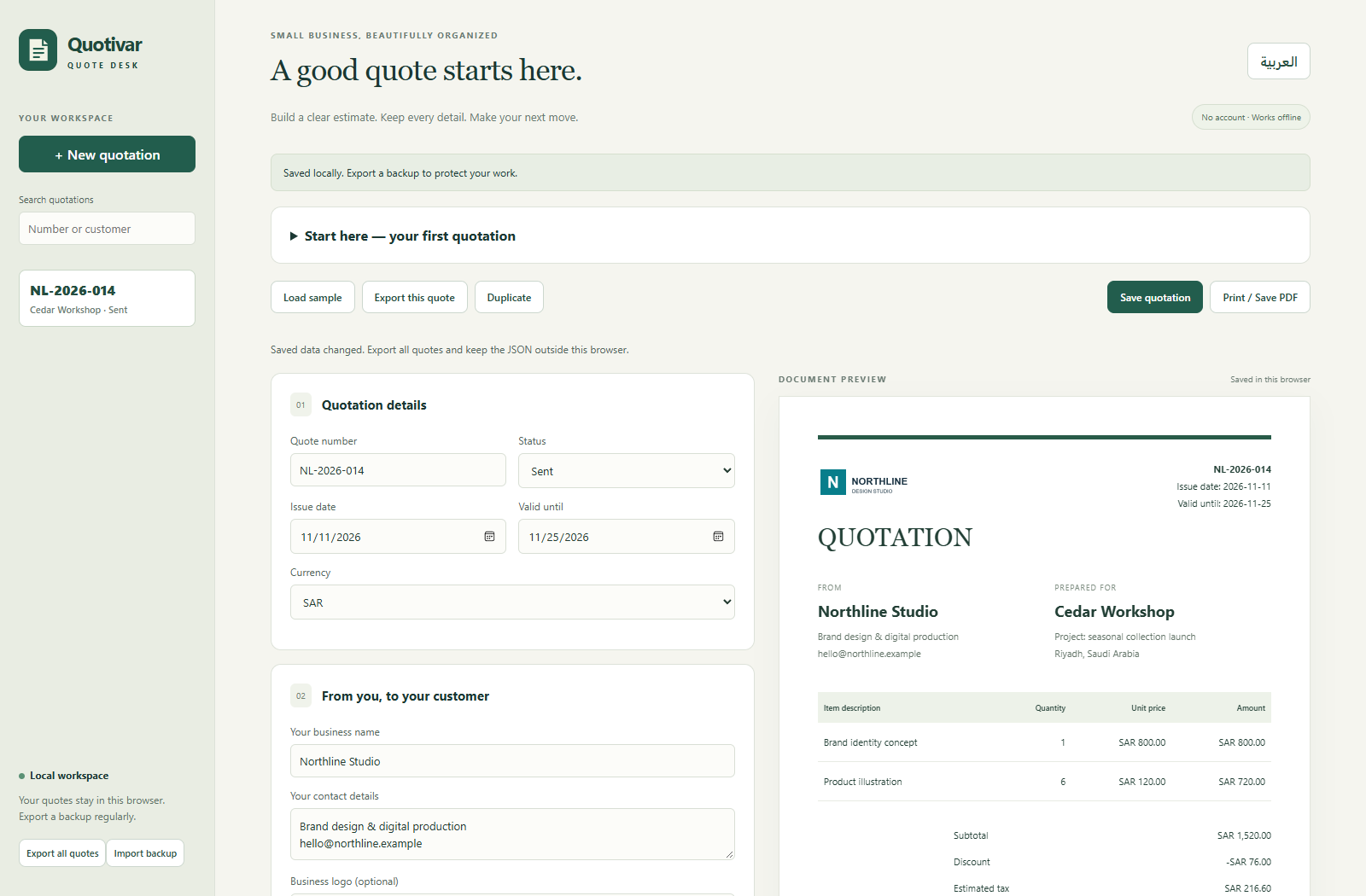
FROM FIRST LINE TO FINAL QUOTE
Create, save, edit, search and duplicate quotations. Automatic numbering and Draft, Sent, Accepted and Declined labels help organize your work. These labels do not send messages or record customer consent.
Quantity × unit price, line amounts, subtotal, percentage discount, estimated tax after discount and grand total. Choose SAR, USD, EUR, GBP or AED; changing currency does not convert amounts.
Add your business details, optional PNG or JPEG logo, customer information, notes and terms. Save a reusable business template for future quotations.
Preview your quotation, then use the browser’s Print / Save as PDF dialog. Use A4 and disable browser headers and footers. Review every page before sharing.
Switch interface language, validation messages and document labels. Arabic includes right-to-left layouts. Text you enter is not automatically translated.
Export an individual quotation as editable JSON or export a full workspace backup. Import compatible JSON files to restore or move data. Keep independent backups outside the browser.
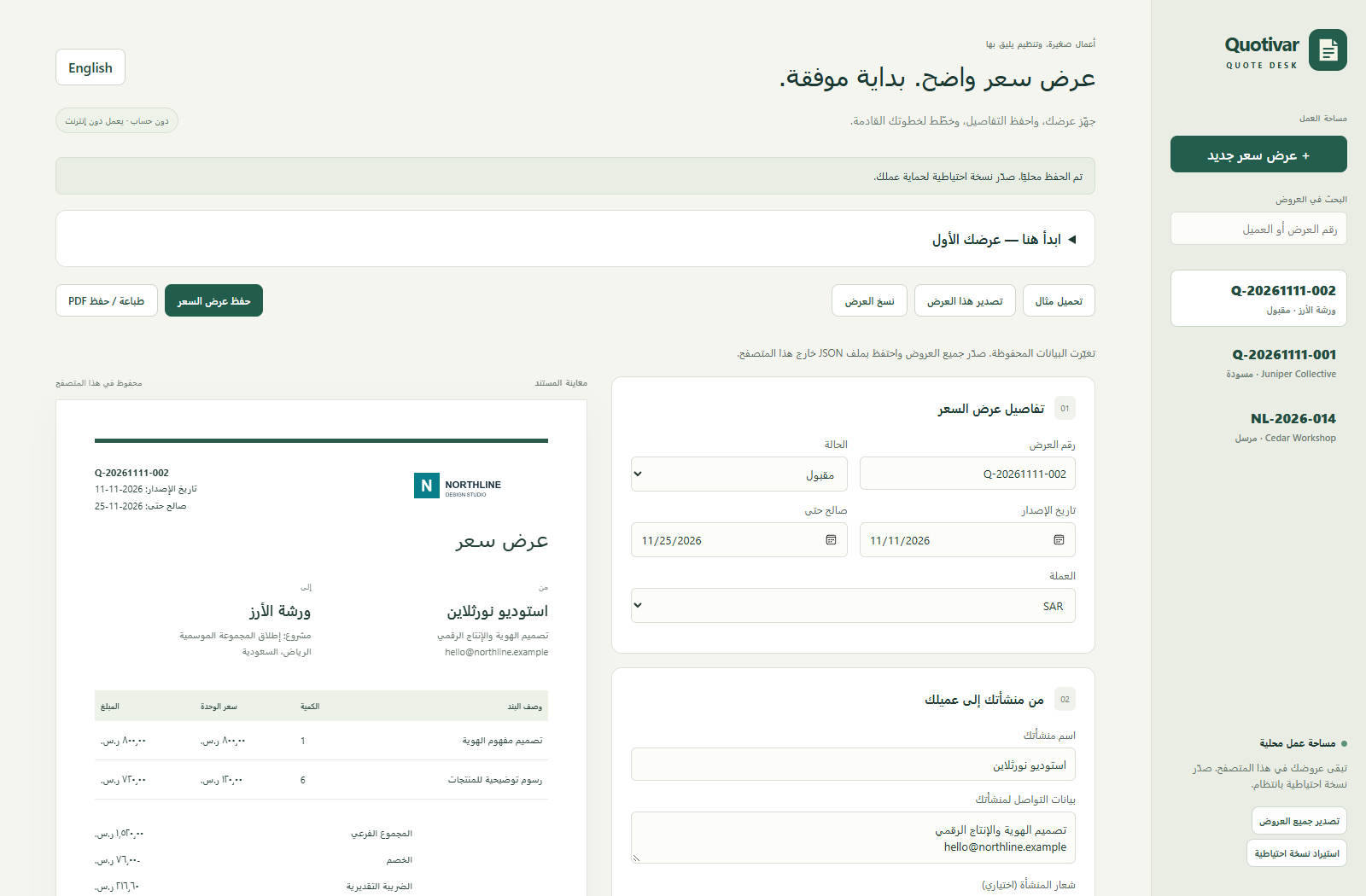
ENGLISH + العربية
Arabic interface and document labels, with a dedicated right-to-left layout.
Actual Arabic editor. Fictional demonstration data.
BEFORE YOU BUY
Changes are not automatically saved: use Save quotation. Data is stored locally, unencrypted, in the browser profile and file location. Clearing browser data, private browsing, changing browsers or moving the app can make it unavailable. The application download is not a backup of your quotations. Export JSON regularly and store it securely.
No cloud synchronization, collaboration, payment collection, automatic email delivery, sign-in or encryption. Use a single active editor tab. This is not accounting, certified invoicing, ZATCA e-invoicing or tax-advice software. Review estimated tax and all document contents yourself.
Up to 500 saved quotations and 100 items per quotation, subject to browser storage limits. Workspace and backup size is limited to 5 MB; logos consume that space. Number history is limited to 20,000 reserved numbers. Imports merge compatible records and reject conflicting IDs or numbers; use an empty separate browser profile to inspect conflicting backups.
The tested product support target is Microsoft Edge on Windows. Extract all application files together into a permanent local folder and open the included start page. JavaScript, BigInt, structuredClone, localStorage and browser printing are required. Once downloaded, the application can run without a network connection.
Firefox, Safari, macOS, Linux and real mobile devices have not been verified for the product. Responsive website layouts do not imply mobile product support. PDF pagination and local file storage depend on the browser.
Quotivar Desk is coming soon. Current screenshots show the review release; it has not been published for sale. The planned price is USD $12 as a one-time payment. Final sale terms and any applicable tax will be shown before purchase. No checkout or customer download is available here yet.
Ask us about compatibility or a feature before launch.